
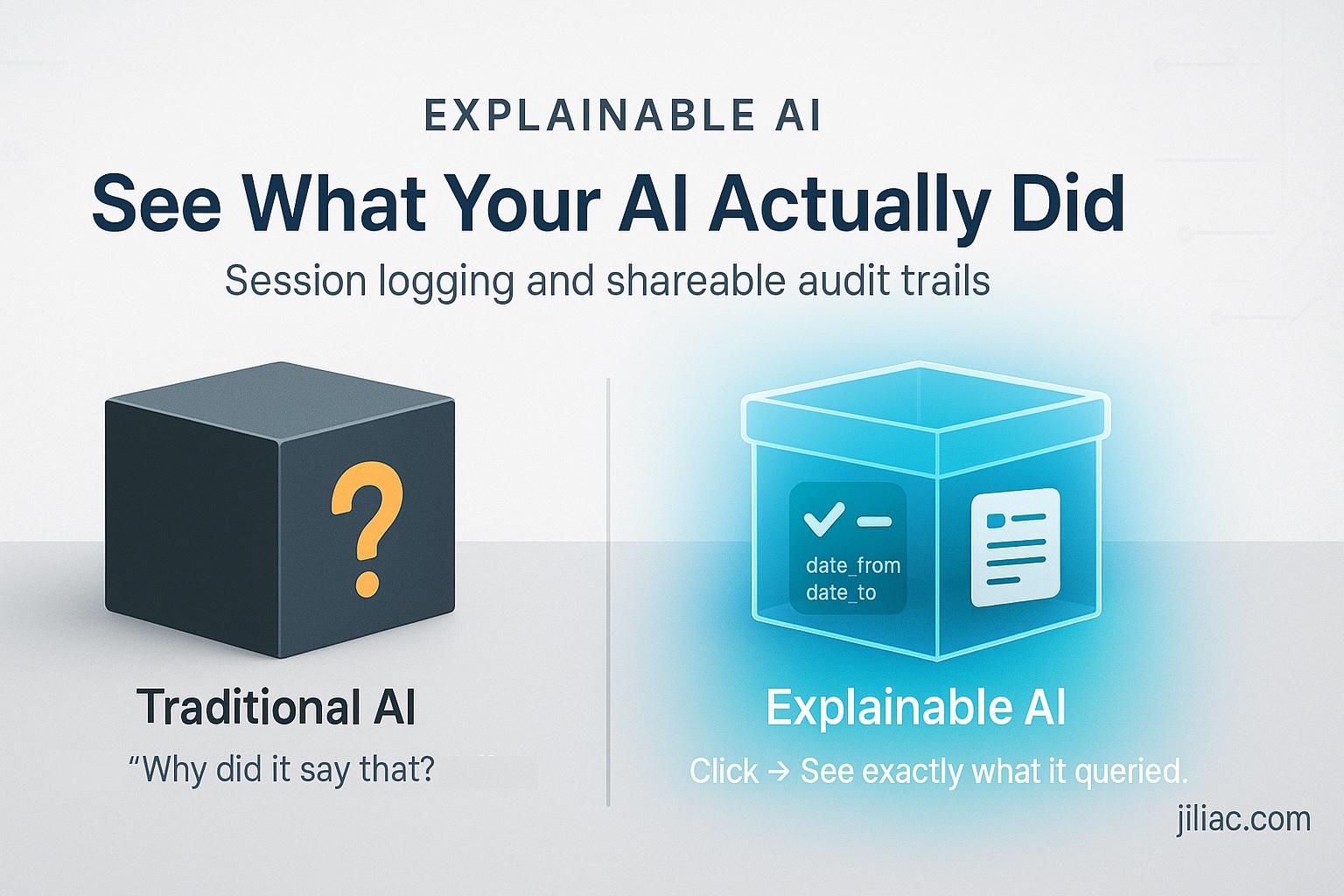
How do you know your AI isn't hallucinating? Most systems: you don't. I built one where you can click the session link and see exactly what it queried.
I run an AI system that analyzes tournament data—thousands of users asking questions about game statistics across Discord, social media, and the web. Every query gets an answer. But here's what happened last week.
A player asked about recent tournament results from September. The AI showed data from September 2024 to November 2024. The player replied: "That's outdated—we're in 2025."
The session link showed exactly what happened. The AI had queried the right time window ("last 2 months from September") but defaulted to 2024 instead of 2025. Not a hallucination—a parameter bug. The date filter wasn't pulling the current year.
Most AI errors aren't hallucinations—they're wrong tool calls. When your AI gives unexpected results, you need to know: Did it make something up? Or did it query the wrong data? One is unfixable. The other is a parameter bug.
This matters everywhere AI touches data. Financial analytics where a date bug means wrong quarterly reports. Healthcare systems where the wrong time window pulls incorrect patient history. Legal tech where date ranges affect case precedents. The gaming industry—yes, even tournament analytics—where competitive integrity depends on accurate data.
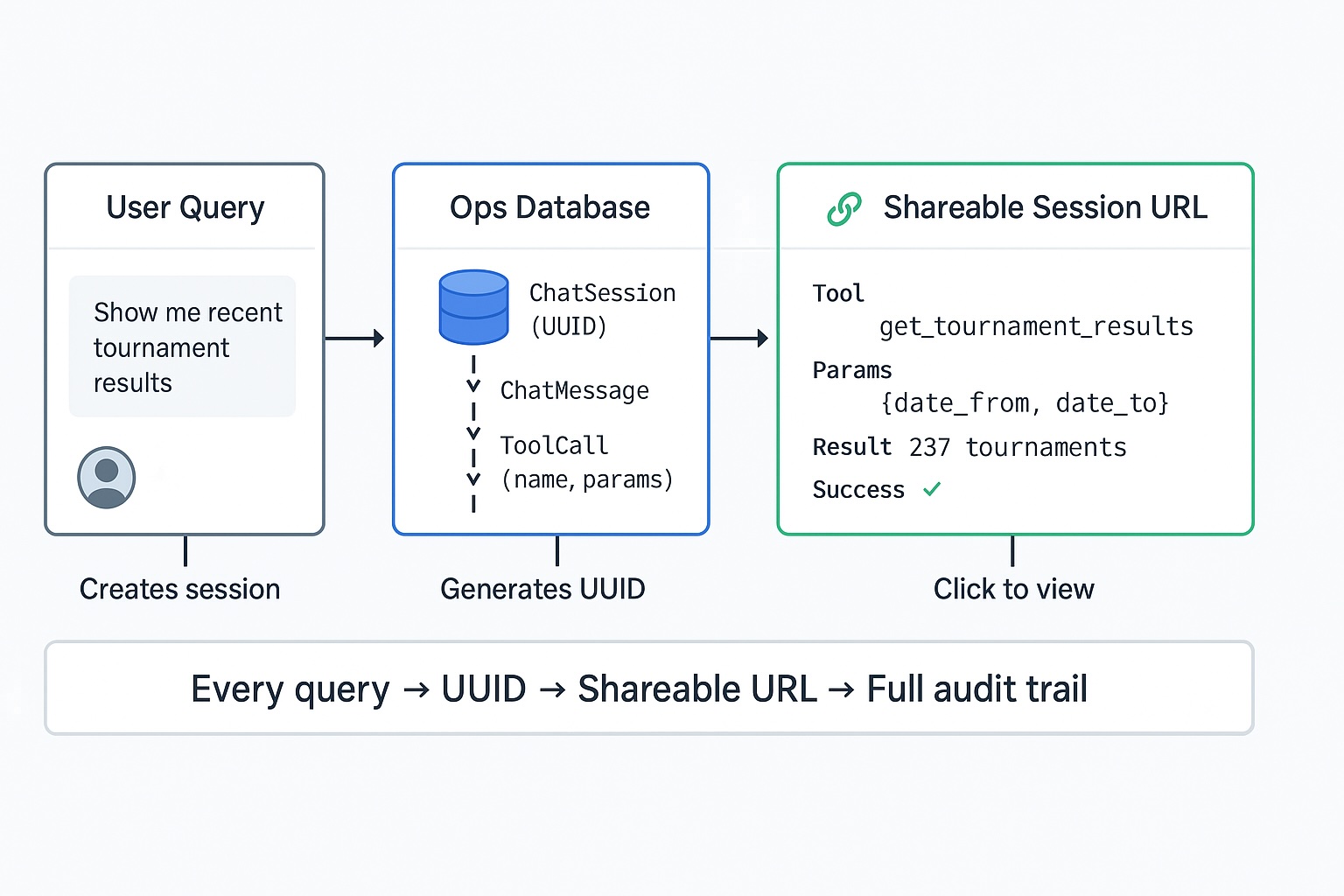
Every query gets a UUID. Every tool call logged with parameters and results. When something doesn't match expectations, you don't guess—you look at what the AI actually did.
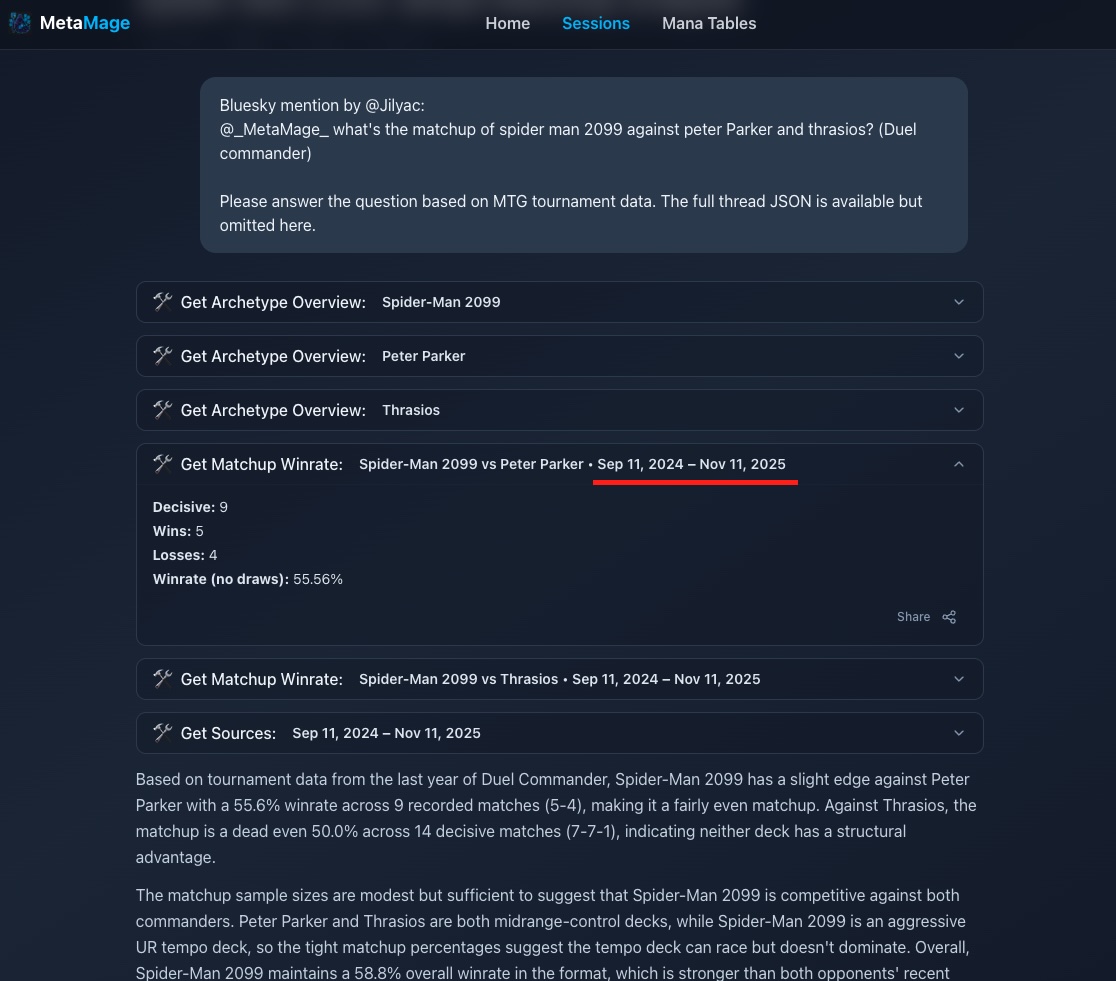
What that looks like:
- Every conversation tracked: ChatSession → ToolCall → ToolResult
- Tool name, input parameters, and results all persisted
- Session page shows: "Called get_tournament_results(date_from='2024-09-01', date_to='2024-11-30')"
- The bug was obvious: year defaulted to 2024
This works across platforms. Discord bot, social media bot, CLI tool, web UI—all write to the same database. Every session gets a shareable URL. Click through, see the full execution trace.
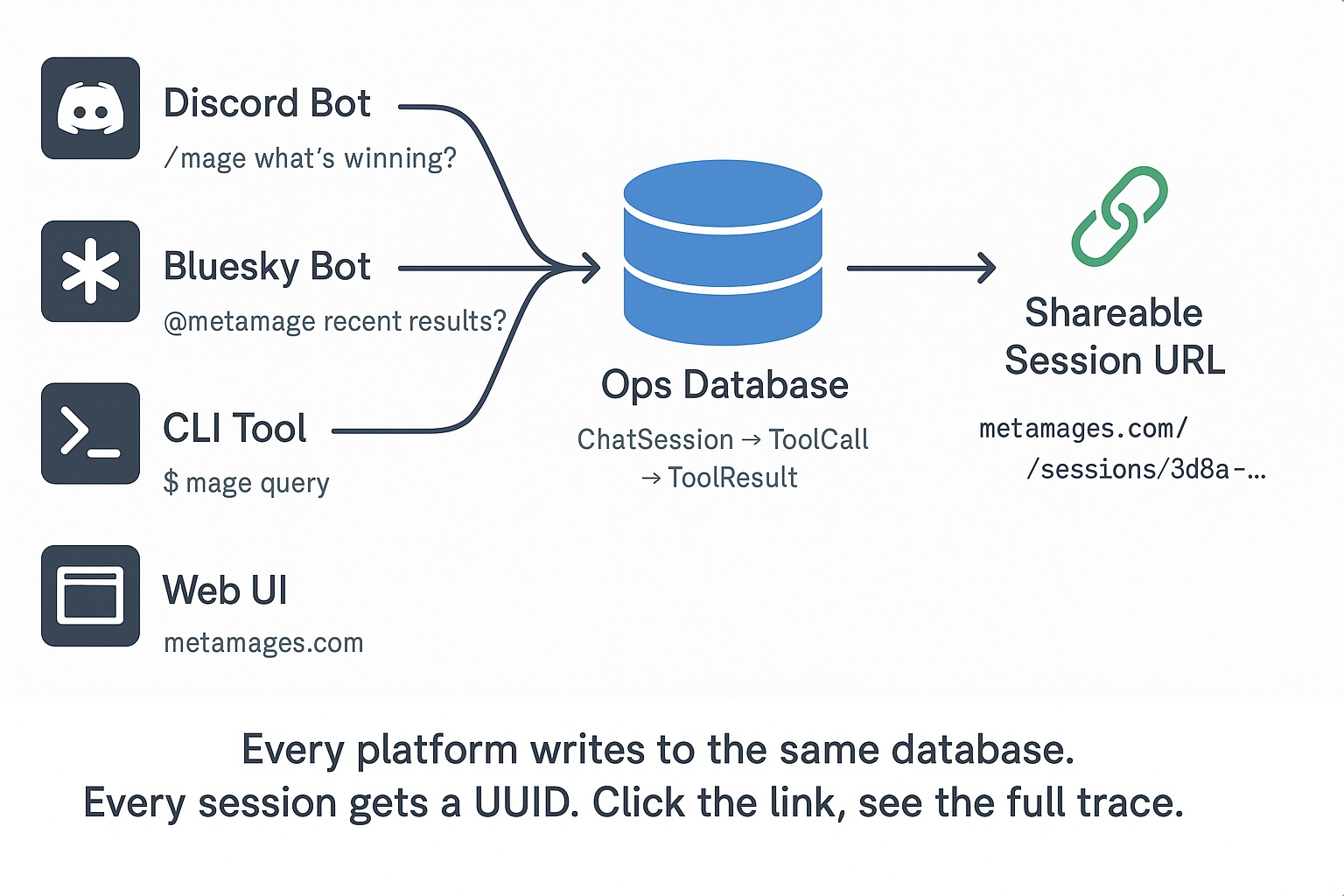
Not chain-of-thought—just what the system did. Tool calls, parameters, results. When results don't match expectations, you see exactly what the AI queried and why.
The architecture is deceptively simple. Each platform adapter handles its interface—Discord slash commands, social media mentions, CLI arguments. But they all write to the same database schema. Same session structure. Same tool logging. Same audit trail.
This unified approach means a bug discovered on Discord can be debugged from a social media interaction. A pattern noticed in CLI usage helps improve the web interface. Every interaction teaches you something about how your AI actually behaves in production.
When to use this: High-stakes decisions. Regulated industries. Complex agent systems. Anywhere "why did the AI say that?" needs a real answer, not a shrug.
The audit trail turns unexpected AI results from mysteries into debuggable bugs. You see exactly what the AI queried, with what parameters, and what it got back.
→ 15-minute audit: I'll show you what your AI is actually doing under the hood and map where audit trails would fit your stack.
Contact: valentinmanes@outlook.fr | LinkedIn | jiliac.com